Cloud printing without a print server.
A bridge on your network takes the printers you already have — ESC/POS receipt printers, DYMO LabelWriters — and gives them an address. Print jobs arrive over one JSON API. No software running on a PC that has to stay switched on.
For POS vendors, webshop platforms and multi-site operators — and for anyone done with the PC in the corner that exists only to print.
Wifi or Ethernet · two USB printers per bridge · remote firmware updates · self-hostable · open API
Architecture
The bridge opens an outbound websocket and keeps it alive, so no inbound ports or firewall rules are needed. Templates render server-side; the bridge only forwards bytes over USB.

Try it without a printer
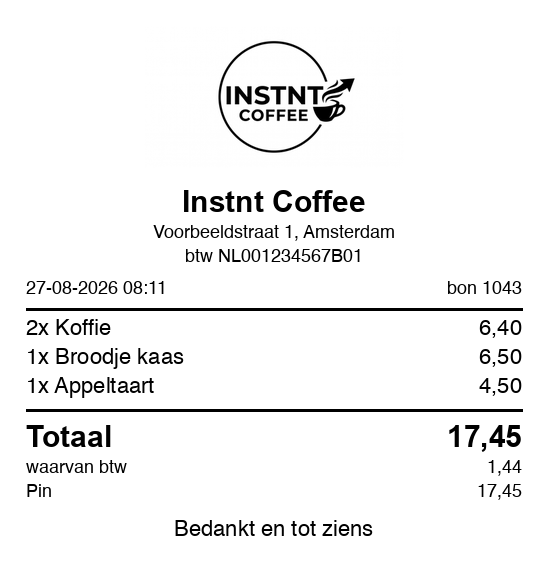
Type something in and print. What comes out is what a real printer would put on paper.
A receipt is a stack of blocks. Turn one off and see what is left. The items and the total stay: without those it is not a receipt any more.
- Logo
- Business name
- Address and VAT number
- Date and receipt number
- The items
- Total
- VAT line
- How it was paid
- Closing line
Supported printers
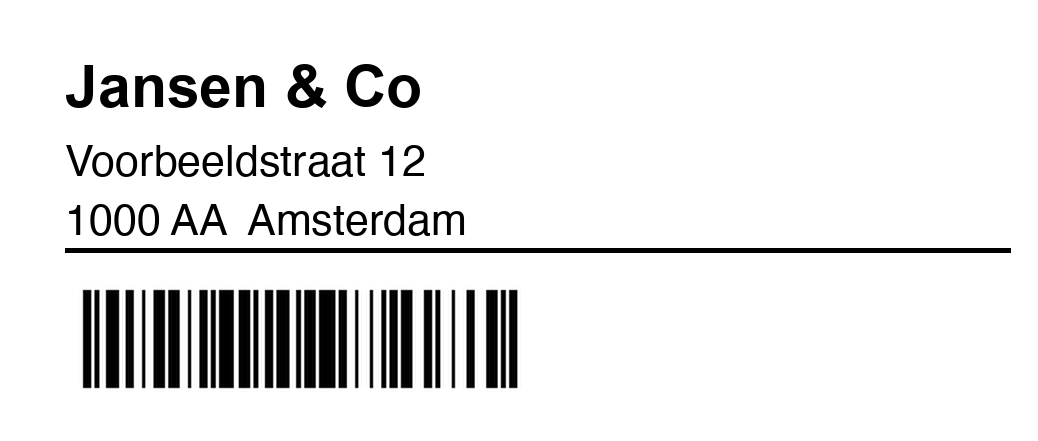
Verified on a DYMO LabelWriter 450 Turbo, a LabelWriter 400 and an Epson TM-T88V. Everything else on this list speaks the same protocol and should work — if yours doesn't, send us the model and we'll add it.
Setup, in three steps
- 1
Set up the bridge
Power it on, pair it in the app, enter your wifi. A minute, and it's on your account.
- 2
Plug in the printer
Over USB. The bridge recognises the model, reads its serial and picks the right driver by itself.
- 3
Send a job
Templates live on the server; you send the values. Rendering, calibration and cutting are handled before it reaches the printer.
Compared to the alternatives
A print client on a PC
PrintNode and similar services work with any printer, but you pay per machine, that machine has to stay on — and you still generate the PDF or the raw bytes yourself.
Printers with cloud firmware
Star CloudPRNT, Epson Server Direct Print: no PC, but only on their own hardware. Existing printers get replaced.
A bridge in between
No PC, and no new printers. One bridge per site, an open API, and the option to run the whole server yourself.
One request, one receipt
No SDK, no client library. Any language that can make an HTTP request can print, and the response tells you what happened.
Every job carries a key describing that one event. Send it twice and no second receipt comes out. Networks drop — your customer shouldn't end up with two.
curl -X POST https://instntprint.com/v1/jobs \
  -H "Authorization: Bearer $KEY" \
  -H "Idempotency-Key: receipt-1043" \
  -H "Content-Type: application/json" \
  -d '{
    "printer": "Front counter",
    "template": "Kassabon",
    "data": {
      "bonnummer": "1043",
      "totaal": "17,45",
      "regels": [
        {"aantal": "2", "omschrijving": "Koffie", "bedrag": "6,40"}
      ]
    }
  }'
You send values, not documents
Most cloud printing relays what you hand them: a PDF you generated, or raw ESC/POS and ZPL you assembled yourself. That part is the hard part. Here the layout lives in a template on the server, and your integration sends the values.
Design it once
Labels on a canvas, receipts as blocks. Text, logos, QR codes, barcodes, repeating line items, and blocks that hide when a field is empty.
The same job on either printer
Send it to a receipt printer and it fills the roll; send it to a LabelWriter and it fits the label. Rendering, paper size and cutting are decided at the printer, not in your code.
Your details fill themselves in
Company name, address, VAT number and logo come from one place. Move offices and every template follows — your integration never sends an address.
Preview before paper
The preview endpoint returns the exact PNG that would be printed, so you can show a customer what they're about to get.
Start from a library
Receipts, kitchen tickets, pickup slips, cloakroom tags, packing slips, tickets. Take one, change what you need — the original stays put.
Reusable headers and footers
One header shared across every template. Change it once and every receipt follows, instead of editing eight designs and missing one.
What else you get
Design in the browser
Labels on a canvas, receipts as blocks running top to bottom. With your logo and company details filled in once.
Whole lists at once
Run an address file through it and a hundred labels come out. Send that same list to a receipt printer and it becomes one receipt.
See what was printed
Every job keeps a picture of how it looked — even if the template changed since. Reprinting sends exactly the same thing.
More than one printer
Each printer gets a name, and that name is what you use. If one breaks, give its replacement the same name and everything works.
Test without using paper
A key starting with lbl_test_ renders the job and files it in your overview, but sends nothing to the printer. Build and debug against the real API.
Keeps working offline
The bridge also runs a server on your own network. If the line drops, the till next to it carries on printing.
Day to day
Printers are addressed by name, not by port or serial. Swap a dead unit, give the replacement the same name, and every integration keeps working.
Templates, calibration and paper sizes live in the dashboard. There's an iOS app for the counter and a browser designer for the desk.
Integrating it
POST /v1/jobs with a bearer key. Idempotency keys, batch jobs, job status, and a preview endpoint that returns the rendered PNG instead of paper.
Ships with an openapi.json, a reference integration with full source, and test-mode keys that render and queue without printing.
For software vendors
Integrate once, then hand your customers a bridge. No driver rollout, no remote sessions to fix a stuck spooler, no support ticket that ends in "is the PC on?". Sub-accounts and white-label are on the roadmap — talk to us about what you need.